
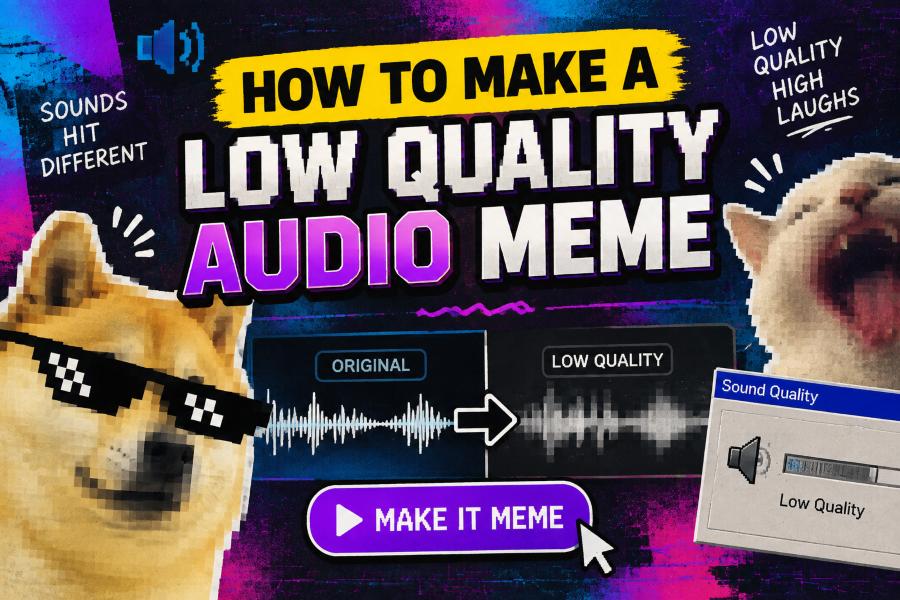
Learning how to make low quality audio meme content is a simple way to give a clip that familiar blown-out, distant, and chaotic internet sound. The effect works because it turns ordinary dialogue, music, or reactions into something intentionally ridiculous.
Low-quality audio memes are not about making a recording unusable. The goal is to reduce clarity in a controlled way while keeping the joke, phrase, or beat recognizable enough for viewers to understand.
You can create the effect with a phone, desktop editor, browser tool, or social video app. Most versions rely on heavy compression, reduced bitrate, distortion, EQ changes, and a touch of clipping.
Whether you are making a short-form video, reaction post, or gaming edit, a few deliberate adjustments can make the audio feel memorably bad without losing its comedic impact.
The classic meme sound often resembles an old voice note played through a cheap speaker. It may be overly loud, slightly crackly, narrow in tone, and compressed until the details blur together.
Start with a clean source clip whenever possible. Editing from clear audio gives you more control, since you can decide exactly how much quality to remove instead of trying to rescue an already damaged file.
Lowering the bitrate is one of the fastest ways to create a degraded texture. Exporting audio at a low setting can introduce digital artifacts that sound intentionally rough.
Distortion adds energy, especially for shouting, sudden reactions, or dramatic music drops. Use it carefully, because excessive distortion can make the punchline impossible to hear.
The best meme edits usually contrast bad sound with clear visual context. Captions, facial reactions, and well-timed cuts help the audience understand the joke even when the audio sounds absurd.
How Can You Create a Low Quality Audio Meme?
Choose a Short Source Clip
Pick a phrase, reaction, sound effect, or music moment that works quickly. Short clips are easier to process, easier to sync with video, and more likely to hold attention in a meme format.
Duplicate the Original File
Keep an untouched copy before editing. This lets you compare the degraded version with the original and return to a cleaner source if an effect becomes too harsh.
Lower the Bitrate
Export the audio at a reduced bitrate or use a compression effect. Low bitrate settings remove detail and create the crunchy digital texture associated with many low quality audio memes.
Cut the Bass and Treble
Use an equalizer to reduce deep bass and bright high frequencies. A narrow midrange makes the clip resemble audio coming from a tiny phone speaker or an old recording.
Add Controlled Distortion
Apply light distortion, saturation, or overdrive to create a strained sound. Increase the effect gradually until the clip feels exaggerated but the main words remain understandable.
Compress the Dynamics
Compression reduces the gap between quiet and loud parts of a recording. Strong compression can make the audio feel crowded, loud, and overly processed in a way that supports a chaotic meme delivery.
Export and Test on a Phone
Listen to the final version through a phone speaker before posting. Many viewers will hear it this way, so check that the joke still lands and that the sound is not painfully loud.
Five Rules for a Funny Degraded Audio Effect
1. Keep the core line understandable so viewers can recognize the joke without replaying the clip.
2. Make the audio worse in stages rather than applying every effect at maximum strength immediately.
3. Use captions when the sound contains dialogue, especially if distortion masks important words.
4. Match the loudness to the platform so the meme feels intense without startling listeners with an extreme volume jump.
5. Stop editing once the degraded sound supports the punchline, because extra effects can distract from the visual joke.
Tools That Help Produce the Meme Sound
- Mobile video editors: Apps with volume, voice effects, EQ, and export controls are convenient for making quick social clips on a phone.
- Desktop audio editors: Programs designed for audio give you finer control over compression, distortion, filters, and waveform editing.
- Online converters: Browser-based converters can reduce bitrate or change file formats when you need a fast, simple degradation step.
- Equalizer effects: An EQ helps create the small-speaker sound by cutting low bass and high-end clarity.
- Distortion plugins: Distortion or saturation tools add crunch and strain that make a clean clip feel intentionally overdriven.
- Compression controls: A compressor makes quiet details more prominent and loud moments denser, which can create a crowded meme texture.
- Captioning tools: Automatic or manual captions preserve accessibility and make distorted dialogue easier for viewers to follow.
Ways to Make the Audio Meme Land Better
Time the Sound to the Visual
Place the degraded audio exactly on the reaction, zoom, cut, or reveal. Precise timing often matters more than the amount of distortion because it gives the joke a clear payoff.
Use Silence Before the Punchline
A brief quiet pause can make a sudden low-quality burst feel much funnier. The contrast creates anticipation and makes the rough audio seem more dramatic.
Build a Clear Visual Setup
Give viewers enough context before the sound hits. A recognizable situation, readable text, or obvious reaction helps them understand why the intentionally bad audio is funny.
Avoid Copying a Creator Too Closely
Use familiar meme techniques while adding your own caption, timing, source material, or visual angle. Original framing makes a simple audio effect feel more personal and shareable.
Respect Copyright and Platform Rules
Use audio you created, licensed material, public-domain sounds, or platform-approved libraries when possible. This reduces the risk of muted posts, takedowns, or limited reach.
Make Captions Part of the Joke
Captions do more than clarify distorted speech. You can use capitalization, pauses, misspellings, or a delayed reveal to reinforce the exaggerated tone of the sound.
Save Reusable Effect Settings
Once you find a combination of EQ, compression, and distortion that works, save it as a preset. A reusable preset speeds up future edits and gives your posts a recognizable style.
Knowing how to make low quality audio meme edits gives you a flexible technique for making ordinary clips feel louder, stranger, and more memorable. The effect is easy to create with basic editing controls.
Begin with a clear source, then reduce fidelity through bitrate changes, EQ cuts, compression, and moderate distortion. Test each adjustment so the audio stays funny instead of becoming confusing.
The strongest results combine rough sound with sharp timing and clear visual context. A caption, pause, zoom, or reaction can turn a noisy clip into a complete joke.
Experiment with different levels of degradation and save the settings that fit your style. With practice, you can make intentionally bad audio sound exactly right for the meme.
FAQs About how to make low quality audio meme
What creates the low quality audio meme effect?
The effect usually comes from low bitrate compression, narrowed EQ, distortion, clipping, and heavy dynamic compression. Combining a few of these techniques produces a deliberately rough sound.
Can I make a low quality audio meme on my phone?
Yes, many mobile video editing apps include voice effects, volume controls, equalizers, and export settings that are enough to create the effect.
What bitrate should I use for degraded meme audio?
There is no single required bitrate, but lower settings create more noticeable artifacts. Test several low export options and choose the lowest one that still keeps the speech or sound recognizable.
How do I make audio sound like a bad speaker?
Cut low bass and high treble with an equalizer, emphasize the middle frequencies, and add a small amount of distortion. This creates a narrow, speaker-like tone.
Should low quality meme audio be very loud?
It can feel loud and compressed, but it should not be painfully louder than the rest of the video. Keep the final volume controlled to protect listeners and avoid platform normalization issues.
Do captions matter for distorted audio memes?
Yes, captions make the content easier to understand and more accessible. They also help preserve the punchline when the intentional degradation hides part of the dialogue.