
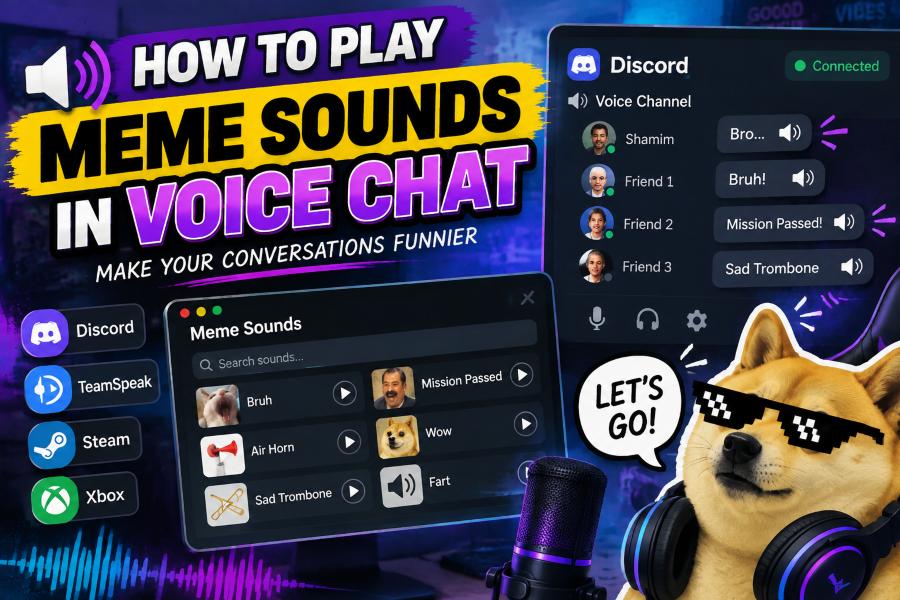
If you are wondering how do i play meme sounds in voice chat, the simplest answer is to route a soundboard or media player through the same audio path your chat app uses. With the right setup, friends can hear a well-timed laugh track, dramatic sting, or classic reaction sound alongside your microphone.
The best method depends on your device, operating system, and platform. Discord, game chat, Zoom, TeamSpeak, and console party chat can all handle audio differently, so a setup that works perfectly in one place may need adjustment in another.
You do not need professional streaming equipment to get started. A software soundboard, a virtual audio cable, or a hardware mixer can make meme sounds possible while keeping your voice clear.
The key is using sounds thoughtfully. Short, recognizable clips can make conversations fun, while constant playback or overly loud effects can quickly become distracting.
Start by choosing a reliable sound source. Many people use a dedicated soundboard app because it lets them assign clips to hotkeys and trigger them instantly during a call or match.
Next, check whether your voice-chat platform has built-in soundboard support. Discord, for example, offers native soundboard features in some servers, which can be easier than routing audio through third-party software.
If your app does not include a soundboard, virtual audio software can send both your microphone and your meme clips into one virtual input. Your chat program then treats that combined input like a normal microphone.
Before joining a public voice channel, test the setup with a friend or in a private call. This helps you catch echo, clipping, low volume, or the common issue of sounds playing only through your own headphones.
Keep your collection organized and brief. A small library of clean, high-quality clips is more useful than hundreds of files you cannot find when the perfect moment arrives.
How Can You Play Meme Sounds in Voice Chat?
Use a Built-In Soundboard
Check your chat platform first, because a native soundboard is usually the fastest option. Open the server or call controls, upload or select approved sounds, and use the provided buttons or shortcuts. This approach avoids complex audio routing, although access may depend on server permissions, subscriptions, or the platform you use.
Install a Desktop Soundboard App
A desktop soundboard app gives you more control over your clips and hotkeys. Import audio files, name them clearly, set individual volumes, and assign keyboard shortcuts that are easy to reach while gaming. Look for an app that supports microphone routing or virtual audio output so the chat program can receive the sound.
Set Up a Virtual Audio Device
A virtual audio device acts like a digital cable between programs. Configure the soundboard to output into that device, then choose the virtual device as the input in your voice-chat settings. Some setups also require a mixer application to combine your real microphone with the meme sounds into one signal.
Choose the Correct Chat Input
After configuring the soundboard, open the voice and audio settings in your chat app and select the intended microphone or virtual input. If you leave the app set to your physical microphone, your friends will hear only your voice. Run the built-in mic test whenever it is available to confirm the signal.
Balance Voice and Sound Levels
Set meme clips lower than you think you need at first. A clip that sounds normal in headphones can overpower speech once compression and voice processing are applied. Adjust the soundboard volume, microphone gain, and chat input sensitivity until your voice remains understandable before and after each effect.
Test Push-to-Talk Settings
Push-to-talk can prevent accidental sound playback, but it may also block clips if your key is not held down. Test whether the soundboard sends audio while push-to-talk is active. If your platform supports voice activity, use a sensible sensitivity threshold so quiet background noise does not open your microphone.
Use Hotkeys That Do Not Conflict
Choose hotkeys that do not interfere with game controls, browser shortcuts, or system commands. Function keys, a numeric keypad, or extra mouse buttons can work well. Practice with a few clips so you can trigger sounds naturally instead of pausing the conversation to search for them.
Five Steps for a Cleaner Soundboard Setup
1. Download your meme clips in a common audio format such as MP3 or WAV and trim unnecessary silence from the beginning and end.
2. Create a separate folder for voice-chat sounds so your soundboard library stays organized and easy to back up.
3. Set each clip to a consistent loudness level before importing it, because widely different volumes make sound effects unpleasant for listeners.
4. Disable automatic input gain when it causes your chat app to turn your microphone down after a loud meme sound plays.
5. Record a short private test or ask a friend for feedback before using the setup in a busy server or competitive game.
Best Practices for Meme Sounds in Calls
- Keep clips short: Use clips that make the joke quickly, ideally lasting only a few seconds, so they do not interrupt the conversation.
- Respect channel rules: Read server, team, and game guidelines before using sound effects because some communities prohibit soundboards or require moderator approval.
- Use safe volume: Avoid sudden maximum-volume sounds, especially in channels where people may use headphones or have sensitive audio settings.
- Choose recognizable sounds: A few familiar reaction clips are more effective than a large collection of obscure or confusing audio.
- Avoid copyrighted music: Short sound effects are generally less risky than playing full songs, which can violate platform rules or disrupt creators and streamers.
- Watch the timing: Play a meme sound after a funny moment or during a natural pause instead of talking over someone.
- Offer an easy opt-out: If others find the sounds distracting, reduce their use or stop altogether so the voice channel remains comfortable for everyone.
Ways to Fix Common Voice Chat Sound Problems
Friends Cannot Hear the Clips
If only you can hear the sounds, your soundboard is probably sending audio to your headphones rather than the chat input. Recheck the output device in the soundboard and the selected input device in the voice-chat app. A virtual cable or virtual microphone must be selected consistently in both places.
Your Voice Disappears During Sounds
This usually happens when the setup routes only the soundboard audio instead of a mixed microphone signal. Use a mixer application or a soundboard mode that combines your physical mic and clips. Also review automatic gain control, noise suppression, and echo cancellation, because these features can mistake loud effects for noise.
The Audio Sounds Distorted
Distortion often means the input level is too high. Lower the clip volume in the soundboard first, then reduce virtual input gain if needed. Avoid boosting every stage of the signal chain, since multiple gain increases can cause clipping even when the original audio file sounds clean.
There Is an Echo or Feedback Loop
Echo occurs when your soundboard or desktop audio is routed back into itself. Make sure the virtual output is not being monitored through the same device that feeds the soundboard. Wearing headphones instead of speakers also prevents your physical microphone from picking up sounds played in the room.
Noise Suppression Removes Effects
Voice-chat apps are designed to prioritize speech, so aggressive noise suppression can mute or distort meme clips. Try a less intense suppression mode, disable it for a test, or use the platform's approved soundboard feature. Change one setting at a time so you can identify what improves the audio.
Hotkeys Trigger the Wrong Action
Conflicting shortcuts can minimize a game, open a system function, or fail to trigger when the soundboard is not focused. Reassign clips to unused key combinations and enable global hotkeys if your app supports them. Test keys while your game or chat window is active before relying on them.
Mobile Voice Chat Has Limited Options
Phones and tablets typically provide fewer audio-routing choices than computers. Use a platform's native soundboard where available, or consider joining the call from a desktop device for a more flexible setup. External adapters and mixers can help, but compatibility varies widely by device and app.
Learning how do i play meme sounds in voice chat comes down to choosing the right soundboard method and confirming that your platform receives the correct audio input. Built-in tools are easiest, while virtual devices provide more flexibility on a computer.
Take a few minutes to test volume, microphone mixing, and hotkeys in a private call. That small check prevents most problems, including silent clips, echo, and sound effects that overwhelm everyone else.
Use memes as a quick accent rather than constant background noise. Good timing and reasonable volume make the experience fun for the whole channel.
Once your setup is stable, keep a compact library of favorite clips and update it only with sounds you will genuinely use.
FAQs About how do i play meme sounds in voice chat
Can I play meme sounds in Discord voice chat?
Yes. You can use Discord's available soundboard features or route a third-party soundboard through a virtual microphone. The exact option depends on the server, your permissions, and whether you are using desktop or mobile.
Do I need a virtual audio cable for a soundboard?
Not always. You may not need one when your chat platform has a native soundboard or your soundboard app provides its own virtual microphone. A virtual audio cable is useful when you need to route and mix soundboard audio with your normal microphone.
Why can I hear my meme sounds but nobody else can?
Your clips are likely playing only through your local speakers or headphones. Set the soundboard output to the virtual device or microphone input that your voice-chat platform is using, then test the chat input again.
Will a soundboard get me banned from voice chat?
A soundboard itself is not automatically a problem, but platform rules and server rules matter. You may face moderation action if you spam sounds, use offensive audio, bypass restrictions, or disrupt other participants.
How loud should meme sounds be in voice chat?
Keep them comfortably below a level that masks normal speech. Start at a low volume, ask a friend how the clips sound on their end, and raise the level only enough for the effect to be heard clearly.
Can I use a soundboard on console party chat?
Console setups are more limited than PC setups, but some external mixers, capture devices, and compatible adapters can route sounds into party chat. Check the console's current policies and hardware compatibility before buying equipment.